
Scattered context
The email, attachments, customer history, and internal notes live in different places.
Deal Desk organizes incoming English inquiries, presents a response-priority hypothesis, drafts a reply, and creates internal confirmation tasks. Your team reviews and approves every external action.
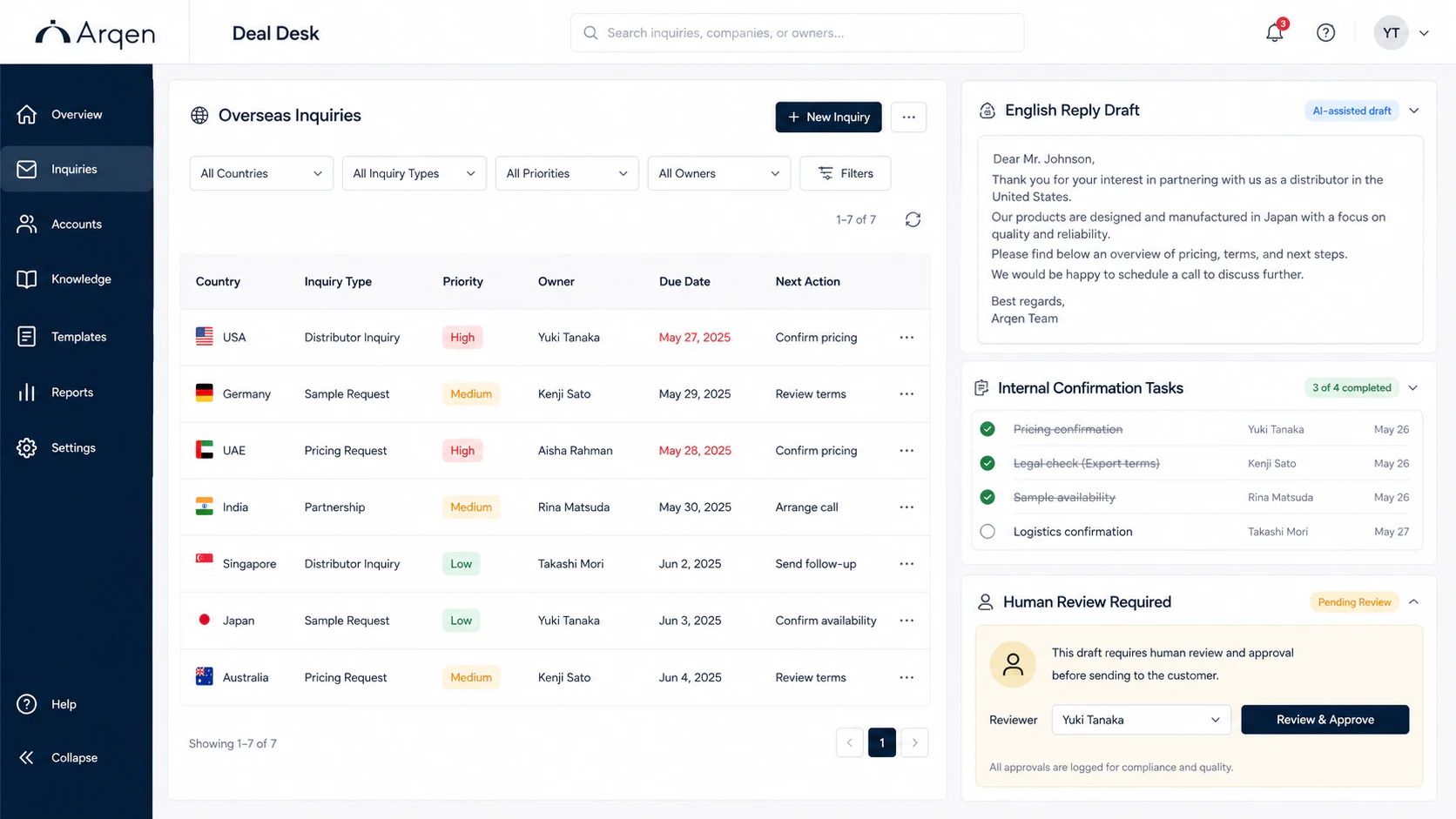
International buyers may contact several potential suppliers at the same time. If replies are delayed or internal checks remain unstructured, your company may fall out of consideration.
The email, attachments, customer history, and internal notes live in different places.
Sales, engineering, logistics, and management each hold part of the answer.
English writing often waits until every internal question is resolved.
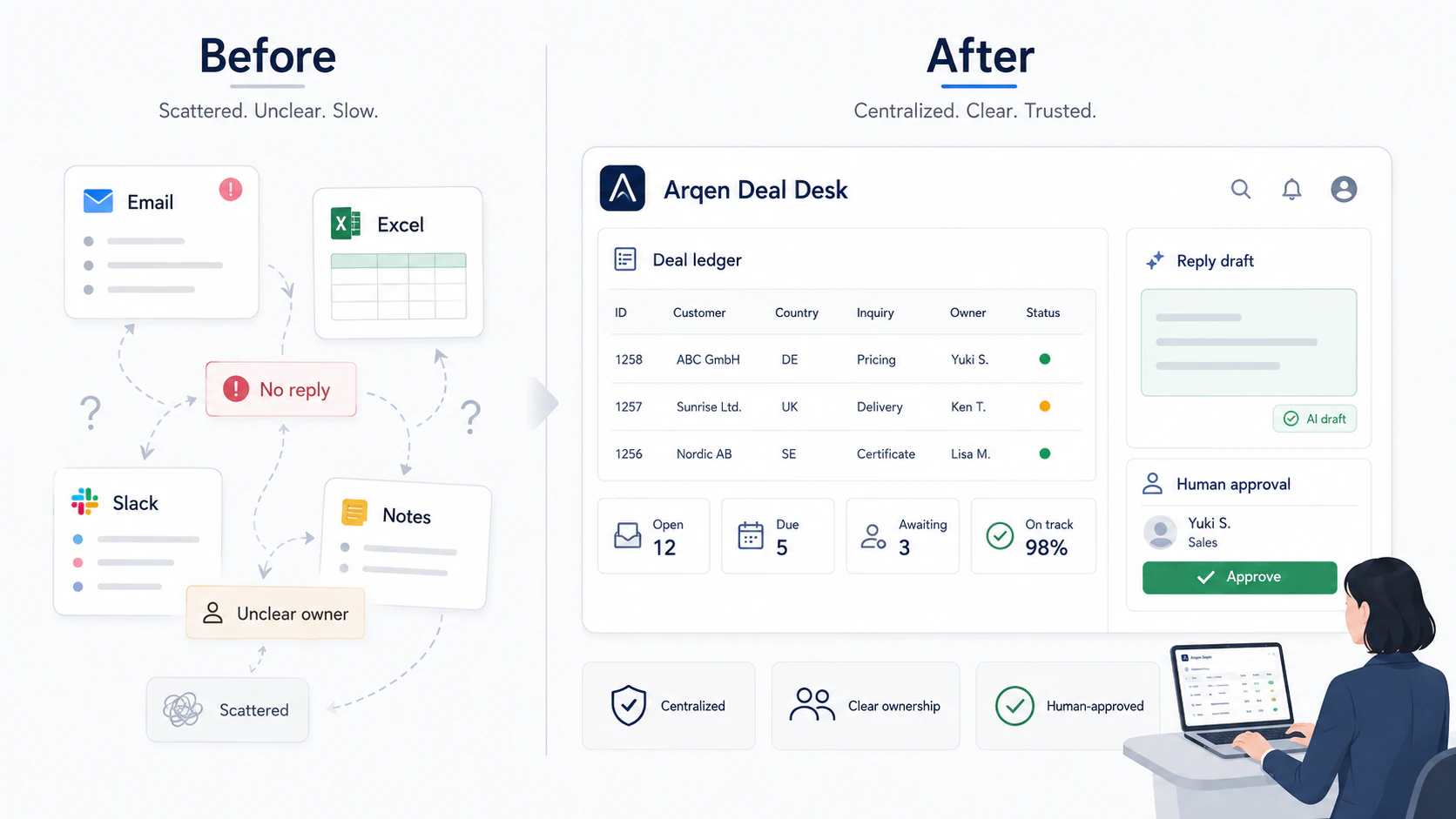
Swipe horizontally to read the complete diagram.
Collect the message, sender, company details, attachments, requested use, and timing in one case record.
Use company information, inquiry content, intended use, and urgency to suggest a response priority. This is a working hypothesis—not a valuation or a prediction of conversion.
Prepare a draft that reflects available facts and clearly marks points that still need confirmation.
Route pricing, specifications, lead time, compliance, and other questions to the right owners.
Keep the decision history, next action, owner, and due date visible to the team.
A responsible person checks, edits, approves, and sends. Deal Desk does not send messages automatically.
Start with a diagnostic, test the workflow for 30 days, and continue only when the operating fit is clear.
Organize three overseas inquiries and identify practical improvements.
Test Deal Desk with your real workflow before committing to ongoing use.
Ongoing operation after a successful Pilot.
For higher inquiry volume, customer-specific rules, or coordination across multiple departments.
RFQ Copilot continues the work by structuring RFQ files, surfacing missing conditions, and preparing quote-ready information.
Both are designed as parts of Arqen Sales AI. The current public demos are separate and do not synchronize data.
It may organize contract text into candidate issues or a checklist, but it does not provide legal judgments or contract revisions. Consult qualified counsel.
It does not set prices, accept terms, make promises, score a company’s value, or send customer messages without human approval.
We can map the current response process and determine whether Deal Desk is a fit. If it is not needed, we will say so.